Kindle Classroom Project update, 1/10/2013

favicon It’s a new week and a new year at The Kindle Classroom Project, and you probably know what that means. Yep, you’re right: more Kindles, more books, and more updates. Here are the highlights:

2013-01-08 00.26.211. Kindle donations continue apace.
Several more Kindles arrived this week, and I’m having trouble keeping up! Angela from Concord, California — a good friend and former colleague — donated Kindle #20. This was the second Kindle she has contributed over the past two years. I love repeat donors! (They should get a special badge.) Thank you, Angela, especially for making a deal with a kind woman from Florida to get the Kindle bound for San Francisco.

Another repeat donor was LeAnne from Fremont, California, who followed up on her book donation last week with a Kindle Keyboard this time around. It’s officially Kindle #21, and it’s a beauty. Readers tend to take care of their Kindles, and the one LeAnne contributed is in mint condition. Thank you, LeAnne!

Then came a big surprise. I received a donation form response from Raju in Sammamish, Washington, who told me that he had two Kindles to donate. But that’s not all. One is the first-ever Kindle Fire for The Kindle Classroom Project. (Go to the bottom of this post to find the article about the Fire, which is Kindle #22.) In addition to the Fire, Raju also donated a Kindle DX to the collection. Thank you, Raju!

And that’s not all. Just yesterday I received Kindle #23, a Kindle 4, from Nicole in Quincy, Massachusetts. Nicole did a quick Google search and quickly found The Kindle Classroom Project page. (It’s now on the first page of Google search results!) She included a kind note in her package, too.

What a week, right?

2. The Kindle Library now stands at 180 titles.
Kindler Kei’ana, a ninth grader in Oakland, says she’s happy about my new policy (thanks to DSW’s $1,000 donation) that students get to request a book each month if they finish at least one on their own. That means, Kei’ana says, that more books about mythology will eventually make the library. (“Mr. Isero, you don’t about Greek mythology?” she asks. “Isn’t there one about Icarus?” I reply.)

Here are a few of the books that are now in the Kindle Library:
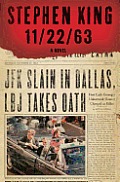
stephen king   part-time indian   the oath   oscar wao

I’m really surprised that it took this long to get Part-Time Indian, a beloved books among ninth graders. The other ones (particularly The Oath) seem on the higher end for beginning high school students, but I’m hopeful that student interest will supersede challenging reading level.

3. People are really starting to like buying books from the Amazon Wishlist.
Thanks go out to LeAnne from Fremont (one book) and Cathy from Lodi (three books) this week. They both purchased books directly from the classroom’s Amazon wishlist.

The Amazon Wishlist offers students another way to request books, plus it gives contributors another way to donate books. I’m excited to build this feature because the true long-term success of the project, once there are enough Kindles, comes down to the quality of the e-books. In addition, I am hopeful to encourage my students’ families to purchase at least one book per year. After all, they probably buy books for their kids; why not share them with the entire class?

4. It has been fun to fiddle around with the new Kindle DX and the Kindle Fire.
The Kindle DX is huge, and the Kindle Fire is addictive. Thank you, Raju. Both devices come with Amazon’s Parental Controls, which I’m thinking of putting on all the Kindles. After all, it’s important that students cannot access the Kindle store or go online. We must all remember, It’s all about the reading! (To be fair, most students don’t even think a Kindle can access the Internet, and there has been only one instance so far of a student purchasing a book on her own.)

The DX and the Fire definitely are making me think about next steps for the Project. With 10 $69 Kindles coming soon (they were shipped today!), there are many different devices in the Kindle fleet. Can they all exist together, or will students gravitate toward the Fire (because it has color and a touchscreen) and Kindle Touch and away from the Kindle DX and $69 Kindle?

Thank you again, donors and readers, for keeping up the pace and getting the word out! favicon

Related articles

Homework: Responsibility or compliance?

hwfavicon Respected teacher John Spencer tweeted this today about homework:

What do you think? What’s the role of homework, and what is it teaching, if anything? favicon

Enhanced by Zemanta

Big surprise: First-ever Kindle Fire!

Kindle Firefavicon I am very pleased to announce the first-ever donation of a Kindle Fire to The Kindle Classroom Project!

Thank you, Raju from Sammamish, Washington! You push me to think about ways that I can incorporate the Kindle Fire into my existing project. I am extremely interested in how best to use the new device.

It’s a big deal, actually. There’s a lot to think about.

After all, the Kindle Fire is a tablet, not just an e-reader. This means it has a backlit display rather than E Ink. It also means a touchscreen rather than physical buttons. And it means apps, games, the Internet, and more.

On the one hand, introducing the Fire will expand students’ reading. Nonfiction would be much easier, for example. It’s easier to subscribe to newspapers and magazines with the Fire. In addition, students could use Pulse or Zite to discover articles to read. Or they could read articles from their Pocket account or Google Reader. In short, whereas the E Ink Kindles limit students to the 178 titles in the Kindle e-book library, the Fire could expose students to a larger world of reading.

On the other hand, the Fire could distract students and take them away from longform reading. This happens to me whenever I try to read on my iPad. Even if I use the excellent Parental Controls (which I will!) and disable several features (like video, apps, the Amazon store, and the Internet), I worry that the Fire may become too much fun for the students. (There should be no fun!) Instead of reading a book for 30 minutes, I am leery that students will jump around from text to text. This would be OK in a social studies class, but that’s not the current goal of my Kindle project. Even though adults tend to bop around while reading, I want to offer an immersive experience and to build my ninth graders’ reading stamina.

Despite my worries, I am super excited about testing out the Fire. Will students gravitate to the tablet because it’s something new (and then get depressed because I’ve disabled many of its features)? Will their reading change or stay the same? Will they prefer the Fire over the E Ink devices? Should the Fire — because it’s unique — become a special reward?

Please let me know your thoughts. Your comments might get emotional! Should I be open to the Fire, or should I remain a E Ink Kindle stickler? Any ideas about how to use this new technology and how it might improve (or endanger!) The Kindle Classroom Projectfavicon

5 free and easy ways to support The Kindle Classroom Project

favicon Hey, loyal Iserotope readers! Want to support The Kindle Classroom Project but can’t or don’t want to donate a Kindle, contribute money, or purchase a book?

Or maybe you’ve already donated plenty of your hard-earned cash and would rather let someone else empty their pocketbooks for a change?

Don’t worry: Here are many free and easy ways to help out. Try a few of them. Or try them all. Don’t be shy!

1. Tell your friends about The Kindle Classroom Project.
Word of mouth is the best way to get the word out. Say you’re with your friends, talking about the fiscal cliff or Kim Kardashian’s baby. What better time to say something like: “And you know what? My friend Mark collects used Kindles to promote reading! You should check out his blog!”

2. Share The Kindle Classroom page to kind, generous people.
Do you email? Use Facebook? Are you a tweeter or a Google plusser? However you share stuff online, please do so! The easiest way to share is to go to The Kindle Classroom page or the Contribute page and use the social sharing buttons at the top. Come on, it’ll be fun! If you’d like to use the direct link (for emailing and texting), here it is: iserotope.com/donate-kindle.

3. Subscribe to Iserotope via email, RSS feed, Twitter, and/or Facebook.
My goal this year is to move Iserotope away from my personal Facebook wall and share my posts only with those who want to read them. So if you like Iserotope, you should subscribe! Everything you need to subscribe is over on the right sidebar. (Just look for Snoopy in the Giants hat, though he’s hard to see.) By subscribing, you benefit The Kindle Classroom Project because the blog’s network gets larger and more powerful.

4. Share posts you like.
I can’t tell you how many Kindles have been donated because a friend decided to share a post on Facebook wall or tweet it out. If you like a post, click on a social sharing button (Facebook, Google Plus, or Twitter) right underneath the headline. It won’t take two seconds, plus it’ll make the post rank higher on Google. It’s even more powerful than liking a post on Facebook. Case in point: If you search “donate kindle” in Google, this post comes up on the first page, ranked #8. Not bad!

5. Write comments.
I’ve saved the best for last. When I began Iserotope, I wanted to create a place not just to reflect and share my thoughts, but also to create a community where teachers and people who care about education could come together to exchange ideas. Last year, a small, caring community of smart, committed people began to form. I’d like this group to grow, and I’d like Iserotope to be a forum about reading, teaching, and technology. Therefore, I hope that you will feel comfortable leaving comments. Please do!

Thank you very much for reading this post and for supporting Iserotope and The Kindle Classroom Project. If you’d like, feel free to leave me a comment about which of these five things you did! (It’s possible to do all five, right? 🙂 ) favicon

One boy’s view of violence in Chicago

favicon Murder and violence were up in Chicago this year, especially for children and teenagers. It’s sad — and it makes me angry — that kids feel scared to leave their homes, that they think being shot is an inevitability.

The Associated Press followed a 12-year-old boy and produced the following video. (You can also watch it here at Iserotope Extras!) I’m happy that his school offers a safe place. Peace Circle allows students to share their trauma and experiences so that the rest of the day can be spent learning. It’s an important and necessary aspect of many urban schools across the country.

What do you think of the video?

Leadership High School, where I taught for 12 years, has an excellent Advisory program that understands the importance of building a strong community. When students feel that school is safe, that their teachers care about them, and that their peers are family, we can build peace.

Update: If you’d like to read more about youth violence in Chicago, check out this excellent article from The New York Timesfavicon