Loyal Iserotope readers flood my inbox with great articles about reading. Thanks!

favicon One great thing about my life right now is that more and more people know that I have this blog. This means that there are more and more loyal Iserotope readers, which increases the likelihood that I get inundated, as has happened the past few days, with great articles about reading.

“Have you seen this?” one person wrote.

“You’ve probably read this already, but I wanted to send it to you,” another person wrote.

It makes me really happy. Thank you! It also makes my reading flow a little easier. If loyal Iserotope readers are sending me something to read, that means it goes to the top of my list. And it means that I’m likely going to write a post about it — like I’m doing now!

Here are three articles that people have sent me:

Bruni_new-thumbLarge-v2Read, Kids, Read
By Frank Bruni, The New York Times

This column is a bit all over the place, but I appreciate Mr. Bruni’s central point: Books are “personal” and “passionate,” and they offer focus, similar to meditation. If you haven’t been following the research over the past year about the benefits of reading fiction (e.g., increased focus, more empathy, greater intelligence), this piece offers a good summary. Mr. Bruni, however, is extremely concerned about a recent report by Common Sense Media that concludes that recreational reading among teenagers has plummeted over the past decade. I am dispirited, too, but it’s not like didn’t know that reading is on the decline.

1378999648543022_10150820373479467_661357797_aCommon Sense Media: Children, Teens, and Reading
A Report on the State of Reading, May 2014

This is the doom-and-gloom report that Mr. Bruni was talking about. To be sure, the conclusions are a bit scary. High school students are reading less often for pleasure, and the percentage of students who rarely or never read for fun has gone up drastically.

The report blames this trend on the following reason: “The technology revolution of the past decade has led our society to a major transition point in the history of reading.” In other words, traditional reading is boring, while surfing the Internet or checking your Instagram is fun. I don’t know if totally buy this argument.

One table I found interesting compared households of “frequent readers” with households of “infrequent readers.” Take a look.Screenshot 2014-05-13 23.11.36

The most jarring statistic to me was that mean household income was virtually the same (and quite high, I might add!). The table seems to suggest that the keys to promote reading are to put lots of books in your home and to set aside structured time to read. (This advice is corroborated by many research studies. For example, one study I read last month indicated that it is perhaps more important for parents themselves to read a lot than for parents to read to their children.)

Overall, I’m not sure what to think of this report. It tried to bring together the findings of seven studies, each of which had different definitions of reading — does reading your phone constitute reading? — and relied on widely divergent methods. Despite the big press it got, I’m not so sure the report succeeded.

As a side note, the report did mention Kindles and other e-readers. A few recent articles are very negative toward e-readers. That’s because they don’t know what they’re talking about. 🙂

imagesSchooled
By Dale Russakoff, The New Yorker

This one’s a must-read. It tells the story of school reform in Newark, New Jersey. Yes, that’s where Mark Zuckerberg pledged $100 million. And that’s where U.S. Senator Cory Booker promised to revolutionize and revitalize public education. This is a well-written article that incisively describes all that is wrong about the American education system today.

I mean, it’s a really tough read. You’ve got the old-school Newark school district, which was not working. (The student-to-administrator ratio was 6:1. Ridiculous.) And then you’ve got the Mark Zuckerberg and Oprah Winfrey and Cory Booker (whom I want to like) and Chris Christie. Then there’s union-busting and union-slamming. And plenty and plenty of for-profit consultants.

Ms. Russakoff doesn’t say this directly, but it’s pretty clear that he thinks that Newark’s school system can’t be fixed, that Mr. Zuckerberg’s $100 million donation was spent wastefully, with little or none of it going to help students, and that neither the status-quo nor reform efforts can address the challenges of urban schools.

Yes, it’s depressing, but you have to read it. You can also find it at Iserotope Extras.

Again, thank you, loyal Iserotope readers, for sending me articles. It shows that you care. If you have an article for me to read, please send it to mark AT iserotope DOT com. Thank  you! favicon

Yahoo News Digest is sharp and sleek. Students might like it. Here’s why I don’t.

favicon If you’re a loyal Iserotope reader, which I know you are (or want to be), you’ve been following my “Get Your Students to Love the News” series, in which I help teachers get their students to love the news.

This post is dedicated to a news app that didn’t make the cut. Yahoo News Digest is only several months old, just came to Android, and is visually stunning, like most Yahoo apps under Marissa Mayer.

I mean, it’s beautiful. Take a look at tonight’s front page:

2014-05-11 03.36.15

With glitzy design like that, students would love to read the news, right? Probably. There’s no doubt that Yahoo News Digest looks pretty.

But that’s not all. The app updates just twice a day — at 8 a.m. and 6 p.m. — just like newspapers of old. My family, for example, took the San Francisco Chronicle in the morning, while my friends’ family took the afternoon San Francisco Examiner. (Both papers are horrible now.) This is a brilliant move. Instead of pushing out articles minute after minute, Yahoo News Digest curates the most important news and packages everything into the top 8-12. As a result, we’re not overwhelmed. We feel like we’re reading the newspaper.

News Digest designer Nick D’Aloisio confidently told Verge:

We’re not saying these are things you’re going to be interested in. We’re saying, these are the things you need to know about.”

Here’s what the second page looks like. It’s nice and sleek:

2014-05-11 03.42.44There are several other excellent features to Yahoo News Digest. The posts feature beautiful photographs, colorful quotations, Wikipedia entries to build background knowledge, links to in-depth articles, and even trending tweets about the topic.

Who could ask for anything more?

It’s pretty amazing, actually — so amazing, in fact, that some may argue that Yahoo News Digest is a better version of Circa than Circa.

Not so fast.

I wrote about Circa recently, and it made my list of ways to help get your students to love the news, and you’ll notice that Circa made the cut, and you’ll notice that Yahoo News Digest did not.

So why Circa and not Yahoo News Digest?

First, Yahoo News Digest is a direct copy of Circa. The good folks over at Yahoo weren’t even trying to hide their intentions. I’m not a big fan of copiers.

Second, Yahoo News Digest relies on Summly, a computerized “news atomizer” that takes several real news articles, grinds them up, and puts them back together in a summarized form. Sure, Circa also atomizes the news, but there’s a sense that more real humans, not just artificial intelligence algorithms, do the summarizing. As a result, the quality of the stories Circa is by far superior.

Third, and most important, real news organizations want nothing to do with Yahoo News Digest. And why would they? It doesn’t seem like a good business plan to sell your product to a news chipper, a news slice-and-dicer. As a result, Yahoo News Digest relies on the Associated Press, Reuters, and other multinational newsgathering agencies. On the other hand, Circa uses more reputable sources, like the New York Times, the Los Angeles Times, and the Washington Post.

There are plenty of other reasons that Circa is better than Yahoo News Digest. I especially like how you can follow topics. But most of all, Circa’s user interface, which break up an article into cards that swipe up one at a time, is perfect.

OK, so this post became a Yahoo News Digest vs. Circa debate, with Circa winning, and that’s fine. Even though Yahoo News Digest looks prettier, don’t let appearance deceive you or your students.

It’s better to go with content than with looks.

Do you agree with me? Check out both apps and let me know what you think. Which would your students prefer, and why? favicon

Another successful Book Faire in Oakland

favicon I like the Book Faire that Envision Academy in Oakland puts on to build its school library and to promote reading among students.

The process is simple.

Once a semester, Mary, the school’s vice principal, calls up the Oakland Public Library Teen Zone. Its librarians, Brian and Xochitl, are wonderful. They know what students like to read, and they pull 150 high-interest titles from the shelves.

The day before the faire, I drive on over to the library in my Honda Civic. Brian grabs a cart, which we load with five massive book bags. We wheel the books down to my car, and I drive them on over to the school.

When I arrive, student librarians are ready to receive the books, take them upstairs, organize them into genres, and put them on tables. Here’s a picture of part of the ethnic literature table:

2014-05-08 10.41.31

Once the books are on tables, everything is ready for the event.

The event runs extremely smoothly, thanks to the student librarians. They have the whole process down pat. Classes come in (this time, the groups were organized by Math classes), get a book request slip, browse the books for about 10 minutes, and then fill out their slip with three choices.

It’s great to see students talking with students about books. It’s also great that students know that we’re going to buy the books that they request. (That’s what the book request slip is for. After the event, I go through the slips and purchase up to three copies of each requested title.)

Overall, the Book Faire is simple and smooth. I can’t say enough about the student librarians. If you want to build a reading culture at your school, the single most important investment is to find, train, and cultivate the skills and passions of student librarians. Mary, the school’s vice principal, has done an excellent job building this group.

Here’s a quick picture of them after a job well done:

Book Faire 3

Please, if you have a minute, consider leaving a brilliant insight. What do you think of this Book Faire? What thoughts do you have about the student librarians? Thank you for your insights! favicon

Get Your Students to Love the News, #4: There’s nothing like the real thing.

favicon If you’ve been reading this series, “Get Your Students to Love the News,” you’ll notice that I’m trying to suggest simple and easy and free ways that teachers can entice students to become avid readers of the news.

That’s my primary goal.

Journalism is changing, and the way that we find out about current events (Facebook, our phones, news aggregators, RSS feeds, Twitter) now is different from the way things worked last generation.

For that reason, it’s important to offer students digital and mobile options. As teachers, we don’t want to be fuddy-duddies.

But in my opinion, it’s still important to teach students the different ways that news is generated, and where news comes from, and that traditional news sources (like newspapers! wow, yes, they still exist!) play a crucial role in shaping how we understand the world.

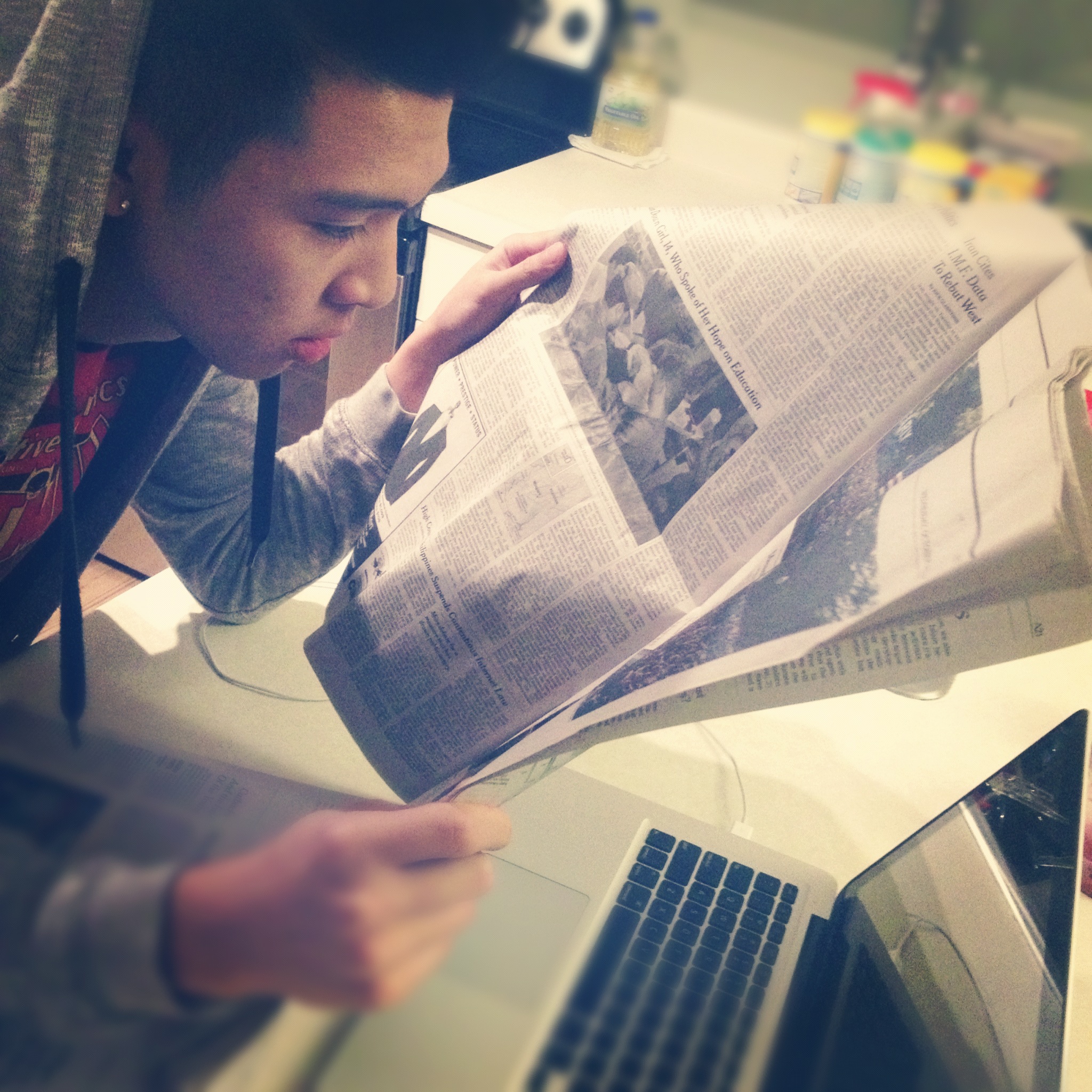
The other day, I was reading a physical version of the New York Times, and a stranger stopped me and asked, “Hey, what’s that?” It was partly in jest, of course, but I saw his point. Print newspapers are, or might be, on their way out. This picture of a former student reading an actual newspaper (which Jenni from Berkeley, CA and and Denise from Alpharetta, GA donated) is rare.

Dezmond NYT - 2012

(Photo credit: Dezmond Oriola)

But I argue that we shouldn’t give up on the oldies-but-goodies. No matter what the studies say — they say that young people prefer reading on screens — there’s nothing like the real thing.

Here are a few ideas to keep print alive with your students.

1. Bring your newspaper or magazine to school.
If you subscribe to a print newspaper or magazine, bring it to school. Show it to your students. Talk about the different parts and terms of a newspaper (e.g., nameplate, headline, byline, above-the-fold, second deck, copy, photograph, cutline, article placement, newspaper sections, editorials, op-eds, and more).

Then ask your students: “How do you think these articles got into the newspaper? Who decides? Based on what criteria? Why this piece instead of another one?”

2. Have students compare publications.
Collect several publications (dailies, weeklies, monthlies) from friends and family and bring them all in. Let your students touch them and compare them. How are they similar and different? Which ones have better design? Which are easier to read? What topics does each emphasize?

Have students look at how different news sources handle the same current event. What’s the headline from the New York Times, and how is it different from the Wall Street Journal? Why?

3. Slowly introduce mobile apps.
Don’t skip to this step, and don’t go too fast. Remember, we want students to understand that news doesn’t come from thin air. Real people go out and report the news. They ask questions, do legwork, and write articles, which their editors read and revise before the piece goes to press.

Sidebar: Does my trust in old-fashioned journalism sound fuddy-duddyish to you? Do I put too much faith in today’s journalism?

Only after students have a sense that the Los Angeles Times is different from TMZ should you proceed. Have the class choose one news source that they all agree to download together. My vote: the New York Times (of course).

Then, let them choose one more for themselves. But don’t let them download a news aggregator. The rule is that it must be a real newspaper or magazine. (If you’re nice, I guess it’s OK to download the NPR app.)

4. Make sure they understand how to use the mobile app.
We assume that students, because they’re “digital natives” (a term I don’t like), know their way around mobile apps. That’s not always true. It’s always a good idea to do a little demo of the app for your students.

For instance, here are a few things that I’d show my students about the New York Times app. Here’s a screenshot to show you what an article looks like:

2014-05-09 03.40.30

You’ll see that the top is where the choices are. On the Android version, you can swipe left or right to go to the next article. Students will like that. Also, you can share an article (which I doubt your students ever do). It’s good to encourage sharing.

But then the real fun comes if you press on the “more” icon in the very top right corner. Sorry that I can’t take a screenshot of this menu, but your students will be very happy. They can:

  • Save the article on the app. This might come in handy if your students don’t use Pocket, Evernote, or a social bookmarking service (which is likely 100% true).
  • Add annotation. Digital annotation is all the rage these days (even though Diigo started the trend five years ago). The app lets students click on a paragraph and add (albeit rudimentary and clunky) notes and highlights, just in case they want to note something they’ve read.
  • Play the article or add it to a playlist. A robotic woman’s voice will read the article. This might be helpful for students who have trouble with challenging text. They can keep reading as they listen.
  • Change the font size. This is maybe the most important feature. I’ve found that cranking up the font size is one of the best ways for students to make reading more manageable.

All right, please let me know what you think. Do you think it’s important to familiarize your students with traditional news sources, or do you think that’s just a thing from the past? Please share your thoughts by leaving a brilliant insight. Thank you so much for reading this post! favicon

Pocket + Evernote: Easy way for teachers to format news articles and nonfiction

favicon If you’re a teacher, you know this story.

It’s Sunday night, and you have a pit in your stomach because you still haven’t found a good article for your students to read tomorrow.

And then, after perhaps too long, you find it! And then you’re happy. That is, until you realize, again, that you have to spend 10-20 minutes formatting it to make it ready for student consumption.

Despite recent trends that favor readability (including Readability!), the Internet is still a mucky place for typography and design. There are ads, weird spacing, and random things that happen.

A quick example. Take a look at this New York Times article on climate change. It’s pretty nifty: It includes a photo essay, a video, and a colorful map. There’s nothing that can replicate the online version. But most teachers want to convert as much of the online experience into print, without taking with them all of the article’s sidebars, comments, and advertisements.

If you press Print on this article (whether from the webpage or your computer), you lose all the visuals. All you get is text. Now, I’m not an enemy of text. Text is my friend. But if I’m a teacher, I’d like at least one photograph to accompany the text. If I’m lucky, I’d also like the body font to be big enough for my students to read. And if possible, it would be great if I could shorten or modify the text (like Newsela does!) for English Learners and students with special needs.

Before going on, an important pause: I understand that some people may find that last sentence controversial. It’s an infringement of copyright (and maybe fair use even?), many say, to cut or modify an article. That might be true. On the other side, there may be people who ask, “Mark, why don’t you just copy and paste to a Word document? That seems easy, right?” Yes, it seems easy, but with many websites, it isn’t. I’ve found that it’s hard to strip away all the distractions, and it takes too much time. That time would be better spent thinking about my lesson.

The past several months, I’ve found a really easy way to render news articles beautifully and to make them easy to modify, if necessary. What’s great is that the process does not require any additional tools. I already use them. You may already use them, too!

My “hack” is Pocket + Evernote. Here’s what happens:

1. If I find an article I like, I save it to my Pocket. It looks like this. (Notice how nice and big and clean the text is.)

Screenshot 2014-05-07 16.47.04

2. On Pocket, I then clip it to Evernote. It looks like this. (Notice that Evernote makes things look similar to Pocket. What’s extra cool is that Evernote prompts you to “view original” in case you want to.)

Screenshot 2014-05-07 16.47.26

Also, you might not get the video on Evernote, but you still keep the photos. An example:

Screenshot 2014-05-07 16.47.41

3. On Evernote, I can also modify the text, as if we’re in a Word document. Because all the craziness has already been stripped away, it’s a much faster process than copying and pasting and cutting.

4. After I’m happy with my changes, I press Print, and that’s that. Seriously, one of the best things is keeping the body font large. Maybe it doesn’t need to be 22-point,  but your students will be so happy if you cranked up the normal 12-point to maybe 14- or 16.

And that’s that! If you’re a teacher out there who already includes a lot of news and nonfiction in your classroom, this Pocket + Evernote tip might be extremely helpful. Even if you don’t yet use Pocket and Evernote, I still think that you should consider it. It’ll save you time and anxiety.

Please let me know your thoughts by leaving a brilliant insight. favicon